An adult AI character sheet is a compact identity contract for a clearly adult fictional character or an authorized adult reference. It records visible age cues, face and hair, body build, signature details, neutral views, expressions, wardrobe rules, and what must never change. Build the sheet before placing the character in several scenes, comics, makeovers, or videos. It should make comparison easier, not become a long biography the image cannot show.
Define the permanent identity block
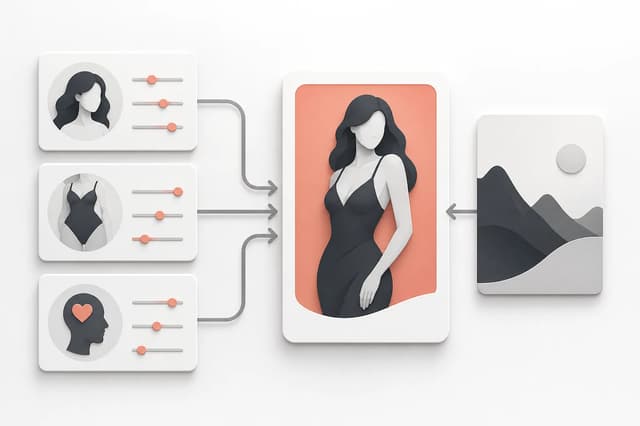
Start with traits that remain visible across scenes. Use observable language. Separate permanent identity from temporary pose, mood, room, camera, and clothing. A useful identity block is short enough to reuse without conflict.
| Identity layer | Record | Keep outside the permanent block |
|---|---|---|
| Adult status | Unambiguous adult presentation and age cues | Vague youthful terms |
| Face | Shape, jaw, eye spacing, nose profile, brows | Temporary expression |
| Hair | Color, length, texture, silhouette, hairline | Wind or one styled variation |
| Body | Broad build, height impression, proportions | One pose or lens distortion |
| Skin and marks | Skin tone, freckles, scars, tattoos | Temporary light color |
| Signature detail | One or two accessories or color accents | Busy prop collection |
Avoid contradictory descriptors. Do not ask for several hair lengths, body builds, or age signals in one identity. If the character needs an alternate form, define it as a separate state with a clear transition rather than mixing both forms into the base sheet.
Use the Adult Character Creator to establish the first portrait. The adult character generator guide explains the initial trait and reference decision; this page focuses on the reusable sheet that follows.
Create neutral reference views
Choose one approved hero portrait and two or three supporting views. A practical set includes front or near-front, three-quarter, and profile. Add one upper-body or full-body view if later scenes depend on build, posture, or wardrobe. Keep light and background simple so each view reveals identity rather than adding new style noise.
The views should depict the same adult character at the same identity state. Compare hairline, jaw, eye spacing, nose, skin marks, build, and signature detail. Reject a supporting view that looks polished but represents a different person. Do not average several inconsistent faces into one sheet.
If using a real person, obtain specific permission for adult transformation and the intended audience. Keep consent records outside the prompt and public sheet. The public or working character sheet should contain only the visual information needed for the creative task.
The NSFW AI character consistency guide provides a fixed comparison sequence for selecting the strongest identity anchor.
Add expressions, poses, and wardrobe as controlled variants
Expressions and poses test whether identity survives change. Select a small range: neutral, subtle smile, focused, and one stronger expression relevant to the project. Avoid extreme distortion as the first test. For poses, include standing or seated neutral and one target action pose with face and hands visible.
Keep variants in labeled rows rather than mixing them into the base identity:
- Expression row: same camera and light, expression changes only.
- Pose row: same wardrobe and environment, body position changes only.
- Wardrobe row: same pose and camera, garment changes only.
- Style row: same identity and composition, rendering style changes only.
Wardrobe rules should identify permanent and variable elements. A signature necklace may remain. A jacket, lingerie set, fantasy costume, or color palette may vary by scene. Note coverage and fabric boundaries that must remain coherent, especially when the character will move into video.
The adult AI art style comparison helps separate rendering style from identity. A style change should not silently change the person.
Prepare the sheet for comics, editing, and video
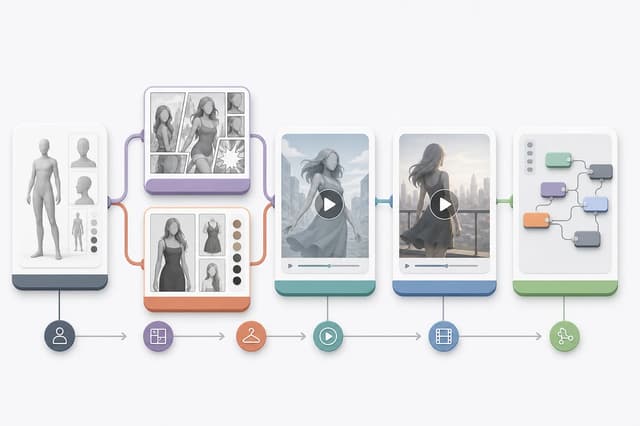
Each downstream workflow needs a different subset of the sheet. For a comic scene, use the hero portrait, relevant wardrobe, and expression or pose closest to the composition. For image editing, use the cleanest view that shows the boundary being changed. For image-to-video, choose a motion-ready frame with visible joints, stable identity, and space around the intended action.
Do not paste the entire sheet into every prompt. Select the evidence the task needs. Too many reference images with different cameras, styles, or identity states can compete. Keep the full sheet as the review source and use one primary visual anchor per generation.
When creating a comic, review the adult comic prompt guide and open the Adult Comic Generator with one approved character image. For motion, use the first-frame preparation guide before the NSFW Image to Video Generator.
Review and version the character sheet
Assign the sheet a version and date. Do not overwrite the identity silently after several outputs already depend on it. If the face, hair, build, adult age cues, or signature detail changes intentionally, create a new version and record the reason.
Use a repeatable approval checklist:
- The character is unambiguously adult in every approved view.
- Face, hair, build, skin details, and signature cues match across views.
- Permanent traits are separated from expression, pose, clothing, scene, and style.
- Real-person references, if any, are specifically authorized for the adult use.
- The sheet contains no contact details, consent documents, or unnecessary private data.
- At least one neutral portrait and one useful three-quarter or profile view pass review.
- Downstream workflows use one relevant anchor rather than every sheet image.
- A version change is recorded when identity changes intentionally.
After each new scene or clip, compare the output with the sheet before adding it as a future reference. A result can join the reference set only when it matches the approved identity and adds a genuinely useful view. This keeps the sheet small, trustworthy, and practical across images, comics, makeovers, and video.