An adult AI character generator should produce a clearly adult, reusable identity—not just one attractive portrait. Begin with three decisions: presentation, archetype, and visual style. Add an authorized reference only when you need a recognizable identity. Then review age cues, face, hair, body proportions, and background before using the character in a comic, makeover, or video workflow.
Choose original or reference-based creation
Original mode is appropriate when you want a fictional character and do not need to preserve a real or existing face. It gives the model room to interpret selected traits. Reference mode is appropriate when you have permission to preserve identity. A reference should be clear, front-facing or three-quarter, evenly lit, and free from heavy occlusion.
Do not use a real-person reference simply because it is publicly available. Obtain specific permission for adult transformation. Avoid minors and age-ambiguous subjects. If you cannot verify age or authorization, generate an original adult character instead. Review our real-person consent guide before using a recognizable person.
| Input decision | Good starting choice | What to avoid |
|---|---|---|
| Presentation | One stable feminine, masculine, or androgynous direction | Contradictory identity descriptors |
| Archetype | Dominant, romantic, or mysterious | A long list of competing moods |
| Visual style | Anime, semi-realistic, or dark fantasy | Mixing several rendering families at once |
| Reference | Clear authorized portrait | Group photo, blur, extreme angle, cropped face |
| Optional prompt | One supporting detail | Repeating or contradicting selected controls |
Use traits as visual instructions
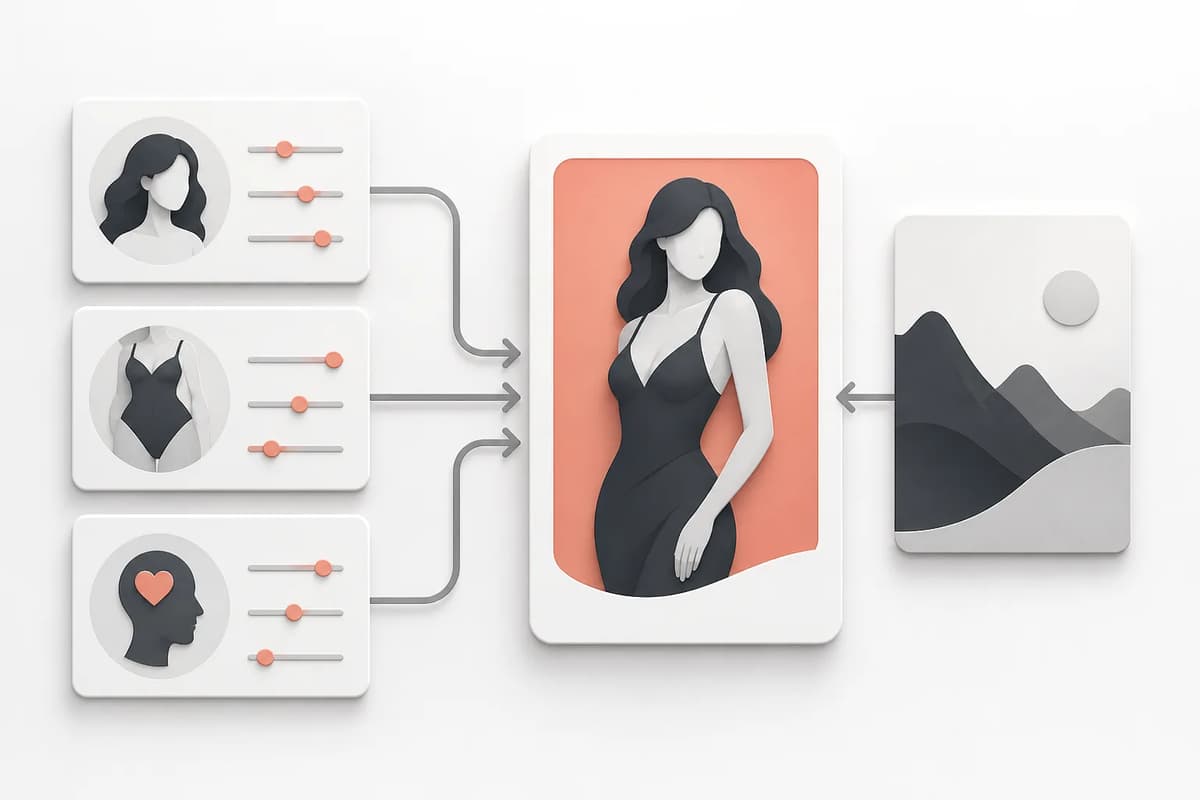
Presentation should affect styling, silhouette, and pose without changing adult status. Archetype should affect expression, posture, lighting, and environment. Visual style should affect rendering, line quality, texture, and color. A reliable generator translates each choice into those concrete requirements rather than pasting the option label into a generic prompt.
Change one group at a time when testing. Keep presentation and style fixed, then compare archetypes. Next keep the preferred archetype and compare styles. This makes it possible to identify which control caused a change. Twenty-seven combinations are useful because they are bounded enough to test while still covering distinct character directions.
Flowith’s Adult Character Creator uses exactly these three groups and creates one 3:4 portrait, with 1K as the trial default and 2K available on paid plans. A reference is optional, so you can begin with an original character and add identity guidance only when needed.
Write an optional supporting prompt
The preset controls should already form a complete brief. Use the optional prompt for a small addition: hair accessory, color palette, setting detail, wardrobe material, or camera mood. Do not use it to replace the chosen style or secretly request a different age. Keep every subject explicitly adult.
Good additions are specific and observable: “emerald velvet gloves, warm library light,” or “silver ear cuff, rainy city window.” Weak additions repeat the interface: “feminine dominant anime.” Conflicting additions create drift: choosing dark fantasy while asking for flat modern product photography. The anime versus semi-realistic versus dark fantasy guide explains the differences worth describing.
Review the first output as a reference asset
Judge the result in a practical order. First verify that the subject is clearly adult. Then inspect face geometry, hair silhouette, hands, body proportions, clothing edges, and background artifacts. Check for unintended text, watermarks, logos, duplicate accessories, or extra limbs. Only after that should you judge mood and polish.
Use this review scorecard:
- Adult status is unambiguous.
- Face and hair match the intended identity.
- Presentation and archetype are visually readable.
- Style is coherent across face, clothing, and background.
- Anatomy and hands are usable.
- No unintended text, logo, or watermark appears.
- The portrait can support the next workflow.
If a result fails identity but succeeds stylistically, do not treat it as a reusable character. Revise the reference or simplify the prompt. If it succeeds, save it as the neutral anchor for later work.
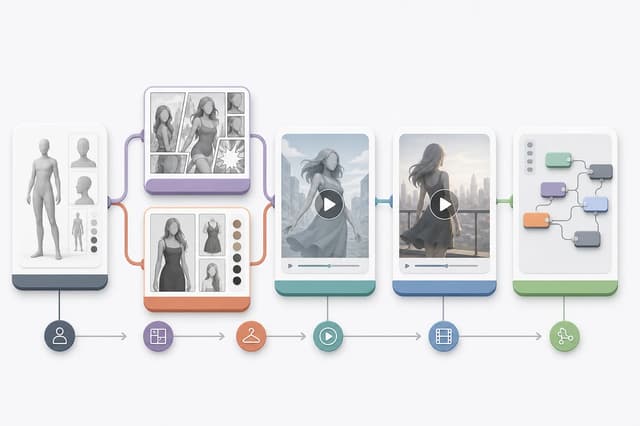
Prepare the character for comics and makeovers
A comic scene introduces perspective, environment, and possibly other adults. Keep the neutral portrait as the source rather than using a heavily edited scene. Describe one setting and one relationship direction. Ask for a single finished composition if panels and text are not supported. The adult comic prompt guide shows how to structure that brief.
A makeover should preserve identity while changing styling or environment. Keep the original, previous, and current versions. Compare face and hair before judging clothing. If identity drifts, return to the previous stable image instead of continuing from the failure. This creates a short, understandable history without needing a complex version tree.
Prepare the character for video
Animation needs a readable starting frame. Use an image with clear limbs, uncluttered edges, and enough background for movement. Match the action to the pose: a standing portrait is better for walking or dancing, while a seated pose supports smaller torso and camera motion. Keep the duration short for the first test.
If the source depicts a real person, enable any required real-person mode and ensure your plan permits it. A generation provider may still reject the request. For fictional or illustrated characters, use the cleanest portrait and avoid extreme cropping. The adult image-to-video guide covers action and duration choices.
Maintain a compact character sheet
Save the approved portrait, trait combination, optional prompt, adult-content level, date, and any authorized reference. Add a short identity block naming face shape, hair, build, and signature detail. Keep permissions private and do not place personal data in prompts or public file names.
A character sheet lets you rebuild the same identity after a model update and compare later edits. It also prevents a team from using a scene-specific image as the only reference. The goal is not to archive every failed generation; it is to retain the few inputs that explain a successful identity.
Final takeaway
Choose original or authorized reference mode, use three distinct trait groups, add only a small optional prompt, and review the result as a reusable asset. A clearly adult neutral portrait becomes the bridge to comics, makeovers, animation, and Canvas editing. That is more valuable than a single dramatic image that cannot preserve its character in the next step.