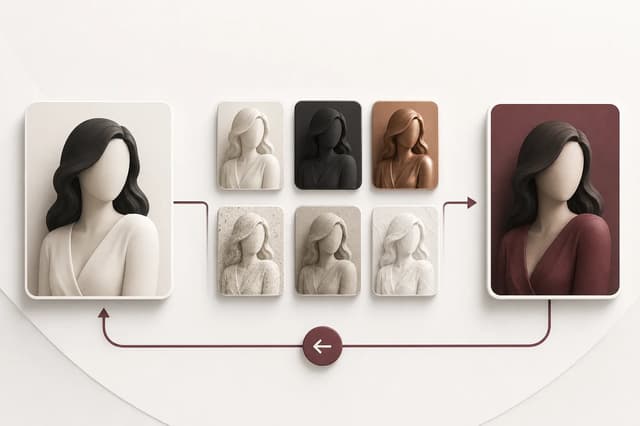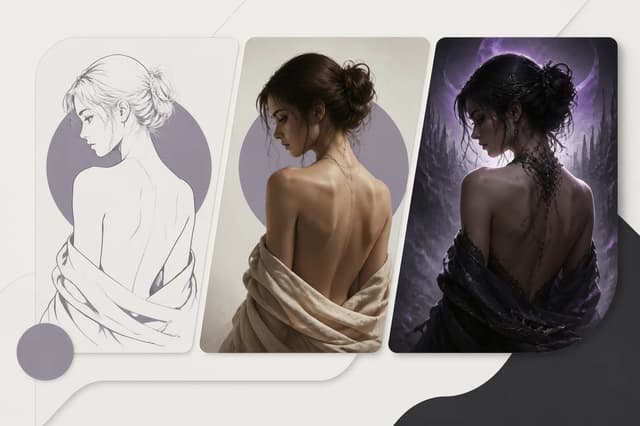
A useful NSFW AI image edit starts before the image reaches the editor. Choose one authorized image of a clearly adult subject, make the intended change easy to describe, and remove information the edit does not need. The best input is not always the largest file. It is the image that makes identity, pose, clothing, light, and background readable enough to change one layer without accidentally replacing the whole scene.
Define the one change before choosing the file
Write the editing task in one sentence. “Change the room to warm evening light while preserving the person” is testable. “Make it better” is not. A precise task tells you which visual evidence the source must contain and which details should remain fixed.
| Editing task | Input must show clearly | Details to preserve |
|---|---|---|
| Background change | Subject outline, hair edges, visible floor or wall boundary | Face, pose, body proportions, clothing |
| Lighting change | Skin tone, current shadow direction, highlights | Identity, scene geometry, camera angle |
| Wardrobe restyle | Torso, garment boundaries, arms and hands | Face, hair, pose, background |
| Portrait cleanup | Face at useful size, eyes, hairline, jaw | Expression, adult age cues, identity |
| Style transfer | Full silhouette and important accessories | Subject identity and composition |
If the desired change is hidden outside the crop, choose another image. An editor cannot reliably preserve information that the source never shows. If several changes are needed, order them. Make the structural change first, review it, and then move to styling. This makes failure easier to diagnose and keeps each result useful as the next input.
The NSFW AI Image Editor is the pillar for general editing decisions. If the task is specifically a preset-led portrait transformation, the Adult Makeover workflow provides a narrower path.
Check identity and adult age cues
Identity needs visible anchors. Select a frame where the face is not extremely small, heavily blurred, or covered by hair, hands, text, or props. A three-quarter or frontal view usually carries more identity information than a severe profile. Keep the hairline, eyebrows, eye spacing, nose profile, jaw, and one or two stable accessories visible when those details matter.
The subject must also be clearly adult. Do not rely on a prompt to correct an age-ambiguous source. If adult age cannot be established from the image and authorized context, do not use it. Never upload a real person for an adult transformation without specific permission for that use. Public availability, a social profile, or permission for an ordinary portrait is not consent for an adult edit.
When the image contains more than one person, ask whether the edit needs all of them. Crop unrelated people only when the remaining composition still makes sense and you have the right to edit the file. Otherwise choose a simpler source. The real-person consent and privacy guide explains the authorization boundary, while the character consistency guide shows how to record stable identity traits.
Prepare crop, resolution, and lighting
Crop for the intended output, not merely for a dramatic preview. Leave space around hair, hands, limbs, and garment edges that the edit may touch. A crop that cuts through a wrist, ankle, or accessory can cause the editor to invent the missing boundary. Keep enough background to communicate perspective and light direction when the scene will remain.
Resolution should be sufficient to inspect the features you plan to preserve. Upscaling a tiny or compressed image does not restore missing identity. Look at the source at 100 percent. If the eyes are blocks, hair edges break into compression squares, or skin detail is smeared, use a better original. Avoid repeated screenshots and messaging-app copies when the original file is available.
Lighting should reveal rather than erase structure. Deep colored light, clipped highlights, and heavy shadow can be intentional, but they give the editor less neutral evidence. For identity-sensitive work, begin with a readable source and add dramatic light as a later edit. If dramatic lighting is the task itself, keep the initial camera, pose, and scene fixed so you can judge whether the new light changed only the intended layer.
Remove unnecessary private information
Inspect both metadata and visible details. A file can disclose location, device information, dates, names, notifications, documents, mirrors, screens, or a recognizable private room. Create a working copy that contains only what the editing task requires. Use a neutral filename rather than a legal name, email address, account identifier, or project note.
Keep the original in your own controlled storage if provenance matters, but do not upload it merely because it contains more data. The upload privacy, metadata, and deletion guide provides a fuller checklist. Review the applicable Flowith Privacy Policy before submitting sensitive material.
Do not place personal details, consent records, identity documents, or contact information in an optional prompt. Those records belong in a separate access-controlled process. The prompt should describe only visible editing instructions.
Run a final edit-readiness review
Before upload, compare the working file against this list:
- The subject is clearly adult and every depicted person is authorized.
- The intended edit can be described as one observable change.
- Identity features and the boundaries affected by the edit are visible.
- The crop leaves room around hands, hair, limbs, clothing, or background edges that may change.
- The source has enough real detail to judge the result without relying on artificial upscaling.
- Unrelated people, screens, documents, notifications, and private surroundings are absent.
- The filename and metadata do not include unnecessary personal information.
- You know which details must remain unchanged and how you will compare them.
After the first edit, compare identity before judging style. Check face, hair, adult age cues, proportions, pose, and background geometry in the same order every time. If the result changed the wrong layer, return to the clean input and narrow the instruction. Do not continue editing from a failed result, because each round can compound drift.
Use the NSFW AI Image Editor when the input is ready. For a controlled preset transformation, compare the task with Adult Makeover. Preparation is complete when the file contains enough evidence for the requested change and nothing unrelated that increases privacy or consistency risk.