To edit an adult AI background or lighting without losing identity, change one visual layer at a time. Keep the clearly adult subject, face, hair, body proportions, pose, clothing, camera, and crop fixed while replacing either the environment or the light. Review identity before style. If both background and light must change, establish the new room first, approve it, and then make a separate lighting pass.
Separate subject, background, and light
Write three short blocks before editing. The identity block describes what must remain recognizable. The scene block describes the current or target environment. The light block describes direction, color, contrast, and practical sources. Keeping them separate makes it possible to see which layer drifted.
| Layer | Preserve or change | Review anchors |
|---|---|---|
| Identity | Preserve | Face, hairline, eyes, jaw, adult age cues, build |
| Pose | Preserve unless explicitly edited | Head angle, shoulders, hands, weight distribution |
| Clothing | Preserve for a scene/light edit | Garment shape, color, edges, accessories |
| Background | Change in its own pass | Perspective, horizon, wall/floor boundaries, props |
| Lighting | Change in its own pass | Key direction, fill, shadow, skin tone, practical lights |
| Camera | Preserve | Crop, distance, angle, lens feel |
Avoid a broad request such as “make the image darker and move it to a luxurious hotel with different clothes.” That combines environment, lighting, wardrobe, and possibly pose. Use a bounded instruction: “Replace the plain room with a modern hotel bedroom; preserve the adult subject, identity, pose, clothing, camera, and neutral light.” Approve that result before adding warm side light.
The NSFW AI Image Editor is the pillar for controlled image changes. Use the input-image preparation guide first when crop, identity evidence, or privacy needs attention.
Replace a background while preserving geometry
Choose a source with readable subject edges and enough surrounding context. Hair, shoulders, hands, clothing, furniture contact, and floor position help define where the person ends and the room begins. Busy patterns, mirrors, transparent fabric, smoke, and deep blur make separation harder.
Describe the target background with visible elements rather than narrative. Name the room type, major surfaces, depth, time of day, and two or three props. Keep the list short. A room with ten new objects creates more opportunities for distorted perspective and accidental contact with the subject.
Preserve camera height and perspective. If the source is a waist-up portrait, do not request a wide full-room scene unless you also intend to invent the missing body and floor relationship. Keep the new environment compatible with the crop. Check vertical lines, horizon, bed or sofa edges, mirrors, windows, and shadows where the subject touches a surface.
After the background pass, compare the original and result in this order: face, hair, body proportions, pose, clothing, camera, then background. An attractive room does not compensate for a changed person. The character consistency guide provides a more detailed identity comparison.
Change lighting with a physical description
Lighting prompts should describe sources and direction. “Cinematic” or “dramatic” does not tell the editor where light originates. Specify one key light, optional fill, and practical source. Examples include “warm lamp camera-left with soft neutral fill,” “cool window light from behind and to the right,” or “low-contrast overcast daylight from the front.”
Preserve skin tone and identity. Colored light can shift perceived skin, hair, eye, and clothing color. Ask for a colored environment while retaining recognizable natural skin information when that matters. Avoid crushing the face into shadow or clipping all highlights, because later edits will have less identity evidence.
Check shadow direction on the nose, jaw, neck, clothing folds, hands, and floor. New light should affect the subject and environment coherently. A bright lamp with no effect on nearby surfaces, or a face shadow pointing opposite the room shadow, makes the scene feel composited.
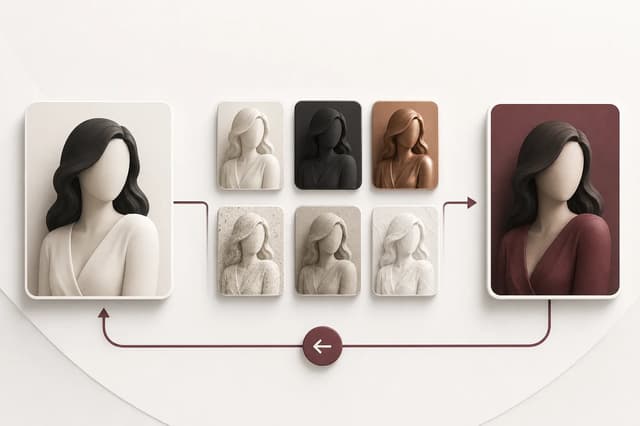
Use one controlled test before stronger contrast. Once the direction works, adjust intensity or color in a later pass. The Adult Makeover workflow explains how original, previous, and current versions support iterative review.
Protect consent, privacy, and adult clarity
Use only original fictional characters or authorized real-person sources. A background change can reveal or imply a private place, relationship, occupation, or event that was not part of the original consent. Specific adult-use permission should cover the planned transformation and audience.
Remove unrelated people, screens, documents, addresses, or identifying room details before upload. Do not include personal information or consent records in the prompt. If the target background resembles a real private location, confirm that the change does not create a misleading claim about where the depicted person was present.
Keep adult age cues clear after relighting. Strong blur, youthful styling, school-like environments, or age-ambiguous framing should not be introduced. If the edit makes age uncertain, reject it rather than trying to repair the ambiguity in another round. Review the adult content safety guide and real-person consent guide when a real identity is involved.
Approve each pass with a fixed checklist
For a background pass, require:
- the same clearly adult identity, pose, proportions, clothing, crop, and camera;
- clean hair, body, hand, garment, and furniture-contact edges;
- coherent perspective, scale, horizon, and room geometry;
- no accidental people, text, logos, screens, or private details;
- a target environment that matches the visible crop.
For a lighting pass, require:
- one understandable key-light direction and consistent shadows;
- recognizable face, skin tone, hair, clothing, and adult age cues;
- practical lights that affect nearby surfaces plausibly;
- enough detail for later review or editing;
- no unintended background, pose, wardrobe, or camera change.
Keep the original, approved background pass, and approved lighting pass as separate versions. If the lighting pass changes identity, return to the approved background result rather than editing from the failure. Use Adult Makeover for preset-led transformations or the NSFW AI Image Editor for a narrowly described change. The workflow succeeds when the viewer sees a new environment or light but still recognizes the same authorized adult subject immediately.