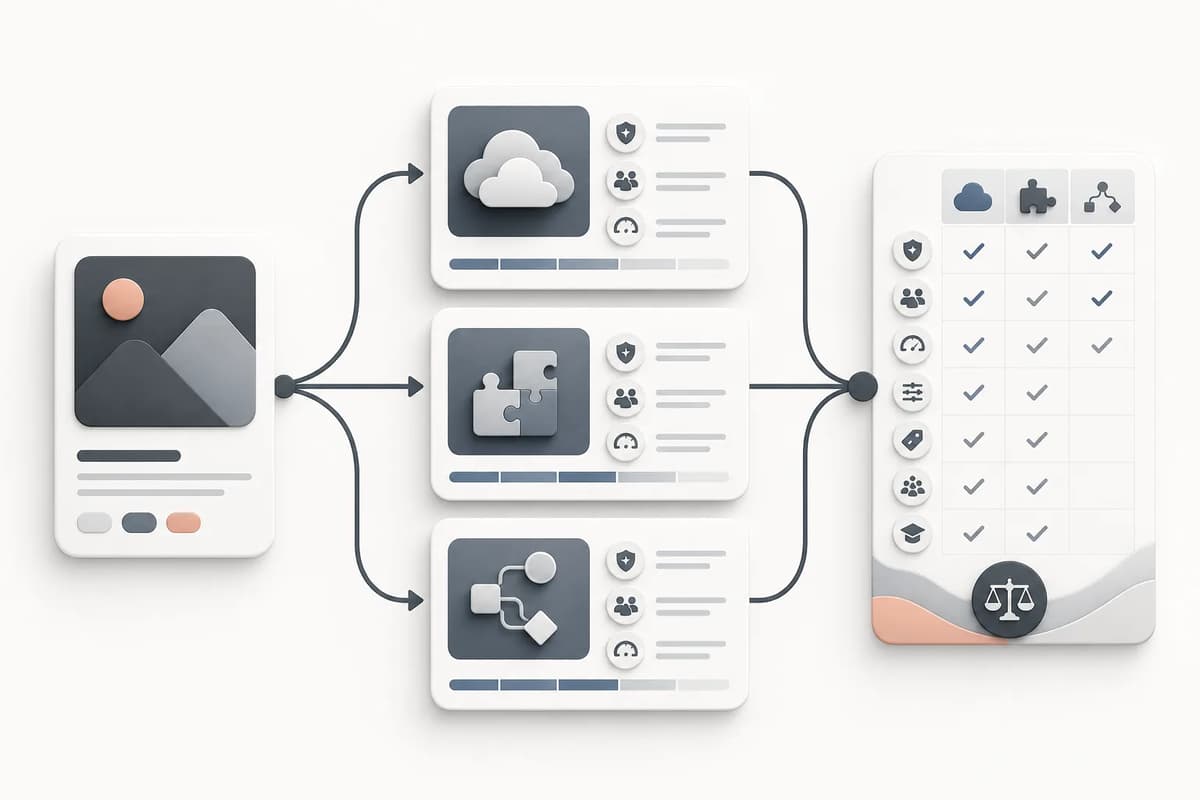
The best Civitai alternative depends on what you are replacing. A model marketplace, a hosted generator, a character workflow, and a private local setup solve different problems. Choose by output, control, privacy, license clarity, and editing needs rather than by the size of a model catalog. For most creators, the useful shortlist is one discovery source, one focused generation tool, and one editing environment—not five overlapping platforms.
First decide what you need to replace
Civitai combines model discovery, creator pages, examples, community metadata, and generation-related features. An alternative may cover only one of those jobs. If you mainly browse LoRAs, compare model hubs. If you mainly generate finished adult art, compare output workflows. If you need repeatable characters, prioritize reference handling and stable parameters. If sensitive authorized references are involved, examine storage, deletion, and account controls before visual style.
Write one sentence that describes the job: “I need a consistent fictional adult character for six comic scenes,” or “I need to animate one authorized adult portrait into a short clip.” That sentence removes many irrelevant options. A giant checkpoint catalog has little value when the real task is a controlled image-to-video action.
| Need | Favor this type of option | Avoid this mismatch |
|---|---|---|
| Discover LoRAs and checkpoints | Model hub with version notes and licenses | Hosted generator with no asset metadata |
| Produce one finished scene | Focused generator with fixed output controls | Model browser that requires manual setup |
| Keep a character consistent | Reference workflow with identity controls | Prompt-only tool with changing defaults |
| Work with authorized private media | Clear upload, history, and deletion behavior | Anonymous rehosting or unclear retention |
| Edit and continue | Tool connected to history or a visual canvas | One-shot downloader with no handoff |
Compare control, not just model count
Model count is easy to market and hard to use. A smaller set of reliable workflows can be more practical because each input has a clear effect. Look for controls that map to your creative decisions: character identity, visual style, scene, action, duration, aspect ratio, and continuation direction. If a product exposes twenty technical sliders without explaining their output, you will spend credits learning the interface rather than improving the result.
For adult character work, fixed trait groups make comparison easier. Change one choice, keep the others stable, and judge the difference. For comic work, a scene preset should specify setting, relationship, composition, and lighting rather than merely inserting a label into a generic prompt. The adult character generator guide shows how to build a usable identity sheet before adding explicit scene variation.
Evaluate privacy and real-person boundaries
Adult workflows require stricter input discipline than general illustration. Determine whether the service accepts real-person media, whether that capability is restricted, and what consent is required. Never infer permission from public availability of a photo. Avoid age-ambiguous subjects and do not use private or leaked material. A provider safety check is an additional control; it is not a substitute for consent.
Read the upload and history behavior. Ask where the original appears after generation, whether results enter a media library, and how deletion works. Inspect whether a share link is public by default. Keep source files free of unnecessary location or camera metadata. Our upload privacy and metadata guide provides a practical checklist that applies across services.
Review licensing at the asset level
An “AI art platform” does not have one license. The platform terms, base model license, LoRA license, reference-image rights, generated-output terms, and destination rules can all differ. For commercial work, record each layer. If a model page is unclear, choose an alternative with explicit conditions instead of filling the gap with an assumption.
Do not treat “free” as “commercially unrestricted.” Free access may describe account pricing, not asset rights. Likewise, a paid subscription does not automatically grant rights to a celebrity likeness, copyrighted character, or third-party photograph. The NSFW model licensing guide separates these layers and suggests what evidence to retain.
Test character consistency with a small matrix
Run a controlled test before moving a project. Use one clearly adult fictional character, one neutral reference, and three outputs: a portrait, a change in wardrobe or setting, and a different camera angle. Keep the face shape, hair, eye color, age cues, and signature accessories constant. Score each output without letting a polished background hide an identity failure.
Use a simple five-point sheet:
- Face remains recognizable.
- Hair silhouette and color remain stable.
- Adult age cues remain unambiguous.
- Body proportions do not drift abruptly.
- Clothing and scene change without replacing identity.
A platform that succeeds on all five with fewer retries may be a better alternative than one with more models. Flowith’s Adult Character Creator provides a fixed 3:4 character workflow, while the Adult Comic Generator tests whether the same identity survives a complete scene.
Consider the full workflow after generation
The output file is rarely the end. You may need to compare versions, restore an earlier image, animate the result, download it, or place it in a larger composition. Prefer an option that connects generation to those next steps. Media History is useful for locating artifacts. A canvas is useful for arranging, annotating, and continuing. A focused makeover workflow is useful when you want another styled iteration without rebuilding the character from zero.
Also compare costs at the decision point. A visible credit quote before generation is more actionable than a broad “low cost” claim. Fixed specifications make estimates easier because resolution, reference count, and duration are known. For video, start at four seconds and increase toward 30 only when the motion needs it; longer is not automatically better. The adult video cost and duration guide explains that tradeoff.
Build a two-tool shortlist
Choose one option for model research and one for finished work. Run the same brief through both. Track setup time, failed attempts, identity stability, output usability, license clarity, and the path to editing. Do not change prompts and references between tests. If local generation is important, include hardware setup and model management time rather than comparing only per-image fees.
Finally, keep an exit path. Save references, prompts, model versions, and permission records in portable formats. Avoid a process that only works through a private community post or an undocumented preset. The best Civitai alternative is the one that fits your specific adult workflow and leaves you with understandable inputs, auditable rights, and reusable results.