Use the NSFW AI Video Editor when an approved source clip provides a useful reference for one new visual direction. It generates a new version rather than performing deterministic local edits. Exact cuts and resequencing belong in an external timeline editor. Regenerate from a cleaner source when identity, anatomy, motion, camera, or background is wrong throughout. Continue only when the current ending is stable and a new story beat is needed.
Locate the defect on the timeline
Watch the clip once without stopping, then inspect the opening, middle, ending, and any transition where quality changes. Record the first and last bad frame. A defect with clear boundaries is often editable; a defect present from the opening frame is usually a source or generation problem.
| Defect pattern | Likely action | Reason |
|---|---|---|
| Weak pause before a stable action | Trim in external timeline software | Useful motion already exists after the pause |
| Brief unstable ending after a good clip | Cut in external timeline software | Most frames remain usable |
| One isolated transition artifact | Cut or repair in suitable external software | Exact frame-local control is needed |
| Stable scene needs different lighting or styling | Generate a reference-video edit | The useful source guides a new version |
| Face or body changes throughout | Regenerate | Identity evidence is unstable across the clip |
| Background bends during all motion | Regenerate from a cleaner source | Geometry failure is continuous |
| Good clip ends before the next beat | Continue | Existing ending can anchor a separate next clip |
Do not decide from the thumbnail. Scrub frame by frame around the defect and watch at normal speed again. A single strange frame may be invisible in motion, while gradual identity drift can be obvious only across the full sequence.
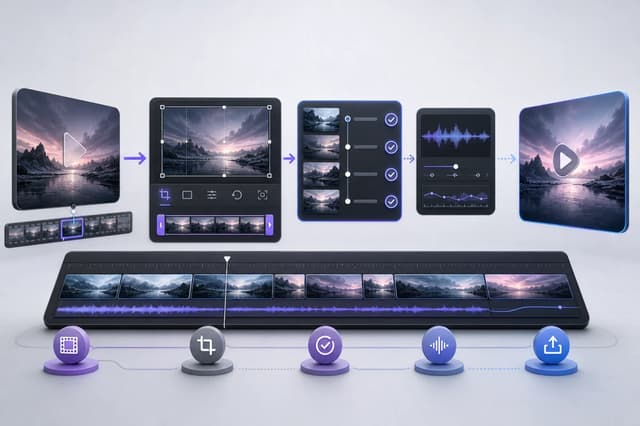
The existing video editor workflow guide explains the source-video instruction flow, new audio behavior, and separate external finishing steps; this page focuses on choosing between those tasks.
Measure how much is still usable
Estimate the usable share of the clip, but do not use percentage alone. Ten stable seconds followed by one broken second is different from eleven seconds of subtle face drift. Rate the severity and location of the defect together.
Ask five questions:
- Is every subject clearly adult and still the authorized identity?
- Does the intended action remain understandable without the defective section?
- Can the defect be removed without an abrupt jump in camera, pose, or audio?
- Is the background stable on both sides of the edit point?
- Would repair introduce more uncertainty than regenerating a short controlled clip?
If the defect affects age clarity, consent, identity, or a prohibited output, do not preserve the clip merely because other frames look strong. Stop and reject it. Editing is not a way to hide a disallowed generation.
For visual identity, compare the same anchors at the beginning and end: face shape, hairline, eyes, jaw, body proportions, signature detail, and adult age cues. The adult video character consistency guide provides a fixed comparison order.
Choose trim, repair, continuation, or regeneration
Trim externally when removing a section leaves a coherent clip. Keep enough frames around the cut to avoid a sudden pose or camera jump. If source audio is present, listen across the edit; a visual cut can expose an audio discontinuity. The Flowith Video Editor does not expose a deterministic trim operation.
Repair or resequence externally when good segments can form a clear action after a local defect is removed. Preserve the original file and export a separate working version. Do not repeatedly overwrite the only usable source.
Generate a reference-video edit when the source is coherent but the intended visual direction changes. Supply one clip up to 15 seconds and a specific instruction, such as changing the room lighting while preserving the people and action. Compare the resulting frames against the source, because this is a newly generated version and may alter more than the requested detail. With Audio on, review the new soundtrack rather than assuming original speech was retained.
Continue when the clip is already acceptable and the creative need comes after its ending. The final frames must have stable identity, pose, camera, light, and background. Use Adult Video Continuation for a separate next clip rather than pretending it repairs an earlier defect.
Regenerate when the first-frame evidence is weak, the wrong action dominates, identity drifts across most frames, anatomy is persistently unstable, or the camera/background failure cannot be isolated. Return to the original still or a clean input, narrow the action, and test the shortest useful duration. The first-frame preparation guide helps correct the source before using NSFW Image to Video again.
Avoid compounding a failed generation
Do not use the last frame of a failed clip as the next source. That frame may already contain face, hand, clothing, lighting, or background drift. Continuing from it converts a temporary failure into the new identity anchor.
Keep a simple version tree:
- Source A: original authorized image or clip.
- Generation A1: first controlled attempt.
- Edit A1-E1: trimmed or repaired version of A1.
- Generation A2: regeneration from Source A with one corrected variable.
- Continuation A1-C1: next clip created only from a stable approved ending.
Change one variable between A1 and A2: source crop, action, camera, pace, prompt detail, or duration. If several variables change, you cannot identify which correction mattered.
Run a complete final review
After the chosen action, watch the entire result at normal speed and inspect every edit or generated transition. Review visual and audio surfaces separately, then together.
Check:
- adult age cues and authorization remain clear;
- face, hair, body, clothing, and scene stay consistent;
- cuts do not create impossible pose, camera, or lighting jumps;
- no private speech, notification, metadata, or unrelated person remains;
- the output begins and ends on intentional frames;
- the file name and version record distinguish the result from the source;
- the next action, if any, uses an approved stable result.
The correct decision is the smallest one that produces a coherent, authorized clip. Preserve a stable section when it genuinely works, but regenerate from clean evidence when the defect is structural. This prevents repeated editing from turning one weak generation into a longer chain of harder-to-review material.
Document the chosen source and version so the final export remains traceable.